
Tech Guides
Understanding HDMI, VGA and DisplayPort Converters: Features, Uses & Benefits
12
Feb
Feb
Introduction: Why Display Converters Matter More Than Ever
If you’ve ever tried to connect your laptop to a projector and realized the ports don’t match, you already know the pain. One device speaks HDMI, another only understands VGA, and your monitor wants DisplayPort. This is exactly where display converters step in, like friendly translators at a global conference.
Today’s offices, classrooms, gaming setups, and home workstations are a mix of old and new technologies. You might have a modern laptop, a slightly older monitor, and a projector that’s been around since your college days. Instead of replacing perfectly good equipment, you can use smart, affordable adapters like an HDMI to HDMI Converter, a VGA 15 Pin Female to Female Converter, or an HDMI to DP (DisplayPort) Cable Converter to make everything work together smoothly.
In this guide, we’ll break down what these converters are, how they work, when to use each one, and how to choose the right option for your setup. Whether you’re a small business owner setting up a meeting room, a student giving presentations, a gamer chasing smooth visuals, or a technician solving client problems, this article will make your life easier.
What Is an HDMI to HDMI Converter?
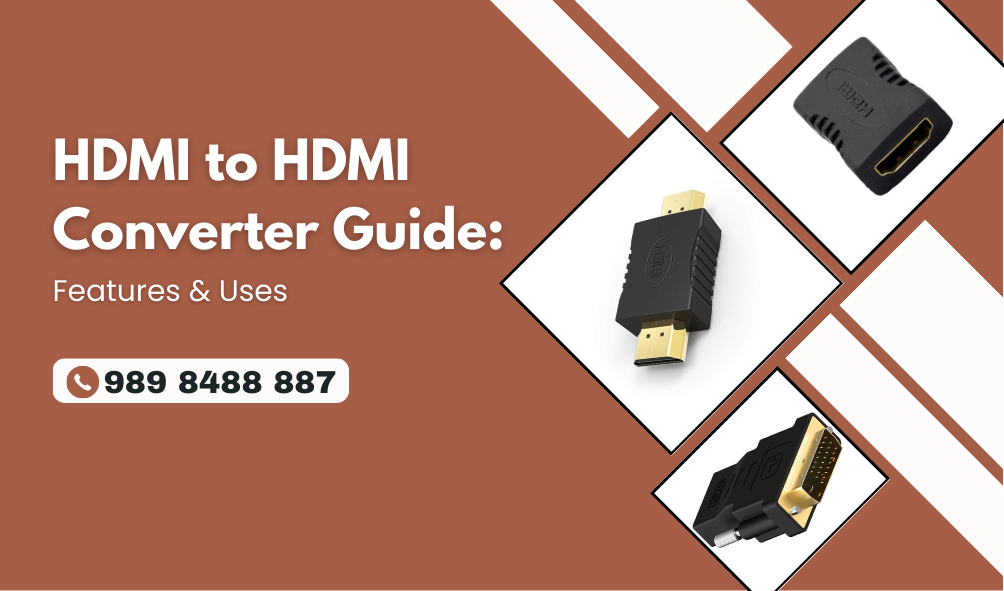
An HDMI-to-HDMI converter is a simple yet powerful tool. At first glance, you might think, “HDMI to HDMI? Isn’t that the same?” Good question. While HDMI cables already connect HDMI devices, converters and couplers are used to:
- Extend the HDMI cable length.
- Join two HDMI cables together.
- Convert signal formats or improve compatibility.
- Fix port direction or gender issues (male/female)
Think of it like a bridge between two roads that look the same but don’t quite meet. An HDMI Female-to-Female Converter, for example, lets you connect two HDMI male cables to create a single longer cable without losing signal quality.
In real life, this is super useful in:
- Conference rooms where the projector is far from the laptop
- Home theaters where cables run through walls
- Classrooms with fixed cable layouts
- Shops and offices using long HDMI runs for displays
Understanding the Basics: HDMI, VGA, and DisplayPort
Before we dive deeper into converters, let’s quickly understand the three main display standards you’ll see everywhere.
What Is HDMI?
HDMI (High-Definition Multimedia Interface) is the most common digital video and audio interface today. It carries:
- High-definition video
- Multi-channel audio
- Control signals (like CEC)
You’ll find HDMI ports on TVs, monitors, laptops, gaming consoles, projectors, and even cameras.
What Is VGA?
VGA (Video Graphics Array) is an older, analog video standard. It uses a 15-pin connector and is still common in:
- Old monitors
- Legacy projectors
- Some office and school equipment
While VGA doesn’t support audio and can’t match modern digital quality, it’s still widely used because many institutions haven’t yet upgraded all their hardware.
What Is DisplayPort?
DisplayPort (DP) is a modern digital interface, often found on:
- High-end monitors
- Graphics cards
- Business laptops and desktops
It supports high resolutions and high refresh rates and is a favorite among gamers and professionals who need sharp, smooth visuals.
Why You Might Need a Display Converter
Let’s be honest, most of us don’t plan our device purchases around port compatibility. You buy a laptop because it’s good. You keep using your old projector because it still works. Suddenly, you’re stuck.
Here’s where converters shine:
- Compatibility: Connect new devices to old displays (and vice versa).
- Cost-saving: No need to replace expensive monitors or projectors.
- Flexibility: Use the same device in different rooms with different setups.
- Convenience: Quick plug-and-play solutions for meetings, classes, and events.
In short, converters are like universal adapters for your digital life.
Types of Display Converters You Should Know
1. HDMI to HDMI Converter
This includes:
- HDMI couplers (female to female)
- HDMI signal boosters or extenders
- HDMI format converters
An HDMI Female to Female Coupler Converter is perfect when:
- Your HDMI cable is just a bit too short.
- You want to join two HDMI cables.
- You need a quick extension without buying a long cable.
2. VGA 15 Pin Female to Female Converter
The VGA 15 Pin Female to Female Converter is mainly used to:
- Extend the VGA cable length.
- Join two VGA cables together.
- Fix port direction issues in legacy setups.
This is extremely useful in schools, offices, and older conference rooms where VGA is still the standard.
3. HDMI to DP (DisplayPort) Cable Converter
An HDMI to DP (DisplayPort) Cable Converter is used when:
- Your source device outputs HDMI
- Your display only accepts DisplayPort.
For example, connecting an HDMI laptop to a DP-only monitor. This type of converter is popular in modern offices and gaming setups.
How an HDMI to HDMI Converter Improves Your Setup
Let’s zoom in again on the star of the show: the HDMI to HDMI Converter.
Key Benefits
- Easy cable extension: No need to replace existing cables.
- Clean installations: Great for wall-mounted TVs and projectors.
- Reliable signal: Good quality converters maintain signal strength.
- Cost-effective: Much cheaper than new long HDMI cables in many cases.
Real-World Example
Imagine you’re a teacher setting up a classroom projector. The HDMI cable from the projector almost reaches your desk—but not quite. Instead of moving furniture or buying a whole new long cable, you simply add an HDMI Female-to-Female Coupler Converter and extend the connection with another HDMI cable. Problem solved in two minutes.
HDMI Female to Female Coupler Converter: Small Tool, Big Impact
This tiny adapter deserves its own spotlight.
What It Does
- Connects two HDMI male cables
- Creates a longer HDMI run
- Keeps your setup flexible and modular
Where It’s Most Useful
- Conference rooms
- Event setups
- Home theaters
- Digital signage installations
- Temporary setups for presentations or exhibitions
It’s like adding an extra piece to your Lego set—you suddenly have many more ways to build your display setup.
VGA 15 Pin Female to Female Converter: Keeping Legacy Alive
Even in 2026, VGA isn’t dead. Many organizations still use:
- Old projectors
- Budget monitors
- Legacy PCs
The VGA 15 Pin Female to Female Converter helps by:
- Extending the VGA cable length
- Joining two VGA cables
- Making old setups more flexible without new hardware
When You Should Choose VGA
- When your display only has a VGA input
- When your PC or projector is older
- When digital conversion isn’t required, just cable extension
It’s not fancy, but it’s reliable—and sometimes that’s all you need.
HDMI to DP (DisplayPort) Cable Converter: Bridging New and Newer
Modern devices often come with a mix of ports. You might have:
- A laptop with an HDMI output
- A monitor with only DisplayPort input
That’s where the HDMI to DP (DisplayPort) 1.5 meter Cable Converter becomes essential.
Why This Converter Is Special
- It converts a digital HDMI signal to DisplayPort.
- Supports high resolutions (depending on model)
- Ideal for modern office and gaming monitors
- Cleaner than using multiple adapters and cables
Practical Use Case
A graphic designer buys a high-end DisplayPort monitor, but their laptop only has HDMI. Instead of changing the laptop or monitor, they use an HDMI-to-DP converter cable and get straight to work.
Choosing the Right Converter for Your Needs
Before buying, ask yourself these simple questions:
- What is my source port? (HDMI, VGA, DP?)
- What is my display input? (HDMI, VGA, DP?)
- Do I need an extension or a conversion?
- How long should the cable run be?
- Do I need audio support? (VGA doesn’t carry audio)
Quick Decision Guide
- Same port, just longer cable? → HDMI to HDMI Converter or VGA 15 Pin Female to Female Converter
- HDMI source to DP display? → HDMI to DP (DisplayPort) 1.5 meter Cable Converter
- Two HDMI cables to join? → HDMI Female to Female Coupler Converter
Performance, Quality, and Signal Integrity
Not all converters are created equal. A cheap, poorly made adapter can cause:
- Signal loss
- Flickering screens
- Resolution drops
- No signal at all
What to Look For
- Good build quality
- Gold-plated connectors (for better contact)
- Shielded cables
- Brand reputation and reviews
Remember, your display quality is only as strong as the weakest link in your cable chain.
HDMI to HDMI Converter in Business and Office Environments
In offices, time is money. Nobody wants to waste 20 minutes before a meeting fixing display issues.
Common Office Uses
- Connecting laptops to projectors
- Extending cables across meeting rooms
- Setting up conference room screens
- Digital signage in reception areas
An HDMI-to-HDMI Converter and an HDMI Female-to-Female Coupler Converter can save the day when cables are just not long enough, or when ports don’t line up with your table layout.
Use Cases for Students, Teachers, and Classrooms
Classrooms are a mix of old and new tech. You might see:
- Old VGA projectors
- New HDMI laptops
- Mixed cables from different years
Perfect Solutions
- VGA 15 Pin Female to Female Converter for extending old projector cables
- HDMI to HDMI Converter for newer setups
- HDMI to DP Converter for modern monitors in computer labs
These tools keep lessons running smoothly without technical drama.
Gamers and Creators: Why Converters Matter to You
If you’re a gamer or content creator, you care about:
- Resolution
- Refresh rate
- Stability
- Low latency
Smart Setup Tips
- Use a quality HDMI to DP (DisplayPort) 1.5 meter Cable Converter for high-end monitors.
- Avoid stacking too many adapters.
- Choose converters that support your target resolution and refresh rate.
- Test your setup before important streams or tournaments.
A good converter is like a good controller—you forget it’s there because it just works.
Installation Tips for a Hassle-Free Experience
Here are some practical, real-world tips:
- Always power off devices before connecting (especially for active converters)
- Don’t bend cables sharply near the connectors.
- Avoid extremely long chains of adapters.
- Label your cables in office or classroom setups.
- Keep one or two spare converters in your tech kit.
Trust me, future-you will be thankful.
Common Mistakes to Avoid
Let’s save you some headaches:
- ❌ Assuming all converters are bi-directional (many are not)
- ❌ Ignoring resolution and refresh rate limits
- ❌ Buying the cheapest option without checking reviews
- ❌ Mixing analog (VGA) and digital (HDMI/DP) without proper active converters
- ❌ Using too many adapters in one chain
Future of Display Connectivity: Will We Still Need Converters?
Short answer: yes, for a long time.
Even as USB-C and newer standards grow, the world is full of:
- Old projectors
- Older monitors
- Mixed device environments
Converters will remain the glue that holds together different generations of tech. They’re the quiet heroes behind smooth presentations, epic gaming sessions, and productive workdays.
Conclusion: The Right Converter Makes All the Difference
Whether you’re extending a cable with an HDMI to HDMI Converter, keeping legacy systems alive with a VGA 15 Pin Female to Female Converter, upgrading your setup with an HDMI to DP (DisplayPort) Cable Converter, or simply joining cables using an HDMI Female to Female Coupler Converter, the right choice can save you time, money, and frustration.
In a world where devices change faster than furniture layouts, converters give you flexibility and control. Choose wisely, invest in quality, and your screens will always light up exactly when you need them to.
Call to Action: Get Direction
FAQs
1. What is the main use of an HDMI to HDMI Converter?
An HDMI-to-HDMI converter is mainly used to extend HDMI cable length, join two HDMI cables, or improve compatibility between HDMI connections without replacing existing cables.
2. Can a VGA 15 Pin Female to Female Converter improve image quality?
No, the VGA 15 Pin Female-to-Female Converter does not improve image quality. It only extends or joins VGA cables. Image quality still depends on the cable length and signal strength.
3. Is the HDMI to DP (DisplayPort) 1.5 meter Cable Converter bi-directional?
Usually, no. Most HDMI-to-DP converters work in one direction only (HDMI source to DP display). Always check product specifications before buying.
4. Does an HDMI Female to Female Coupler Converter reduce signal quality?
A high-quality HDMI Female-to-Female Coupler Converter should not noticeably degrade signal quality, especially for short to medium cable lengths.
5. Which converter is best for office presentations?
For modern setups, an HDMI-to-HDMI converter or an HDMI female-to-female coupler is usually best. For older projectors, a VGA 15 Pin Female-to-Female Converter may still be useful.
